Campaigns: deleting a review from a campaign
If you want to delete a specific review within a campaign, you can do so from the campaign's reviews page.
Written By Stijn Vanlerberghe
Last updated 2 months ago
Steps:
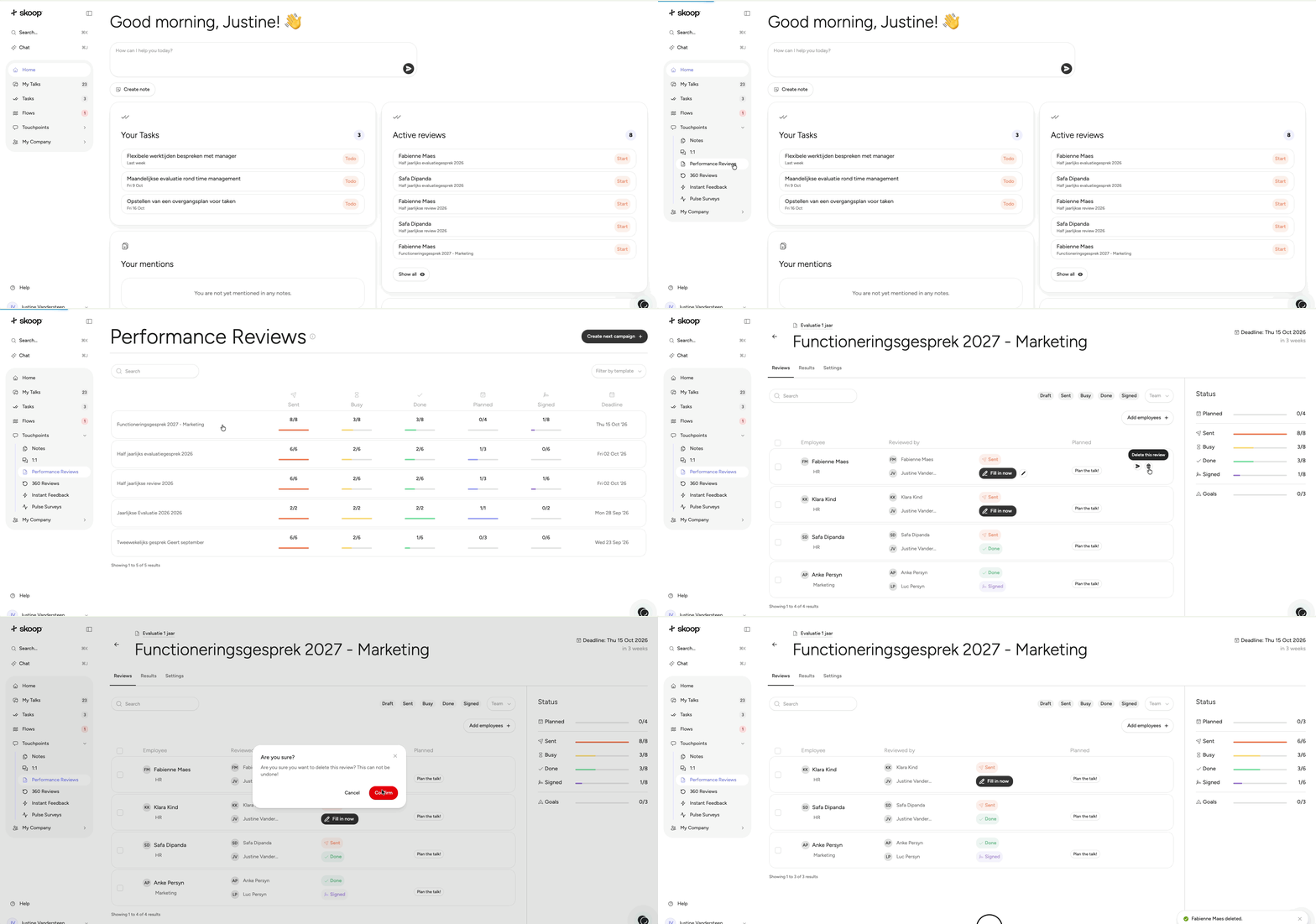
Go to the campaign's Reviews page
Navigate to Campaigns, open the relevant campaign, and click the Reviews tab
Find the review you want to delete
Click the delete icon next to the review
The review will be permanently removed
Note: You cannot delete a review from within the Performance Review module itself — it must be done from the campaign's Reviews page.
Need Help?
Contact our support team if you have additional questions about campaigns or reviews.
Was this helpful?
Still need help? Ask the team